Socialheads
A case study exploring secure messaging for social workers and at-risk youth, completed independently as a bootcamp project
My Role
Socialheads was a solo bootcamp project for design and development, though the stakeholder and user interviews were conducted as part of a group. From there, I owned the process independently: synthesizing the interview findings, building the site map and user flow, and designing the core screens, including the Report Emergency flow, Messages, Reminders & Notes, and Case Files.
Stakeholder Interview
In order to identify the key design goals, an interview was held with stakeholder Jeremy Pitt.
The interview led to the development of three goals:
Empower professionals with tools that support rather than overwhelm.
Support young people with an app that feels safe, welcoming, and personal.
Help Socialheads find creative solutions to fit the needs of the target audience.
User Interviews
Interviews were conducted with social workers, mental health workers, and counselors that work with youth.
The interviews led to the identification of these user needs:
Secure yet flexible digital communication tools
Simplified case management and tracking system for high case loads.
Messaging infrastructure with clear professional boundaries.
Digital tools to support interventions.
Structures and support networks that ensure professional safety.
Ideation
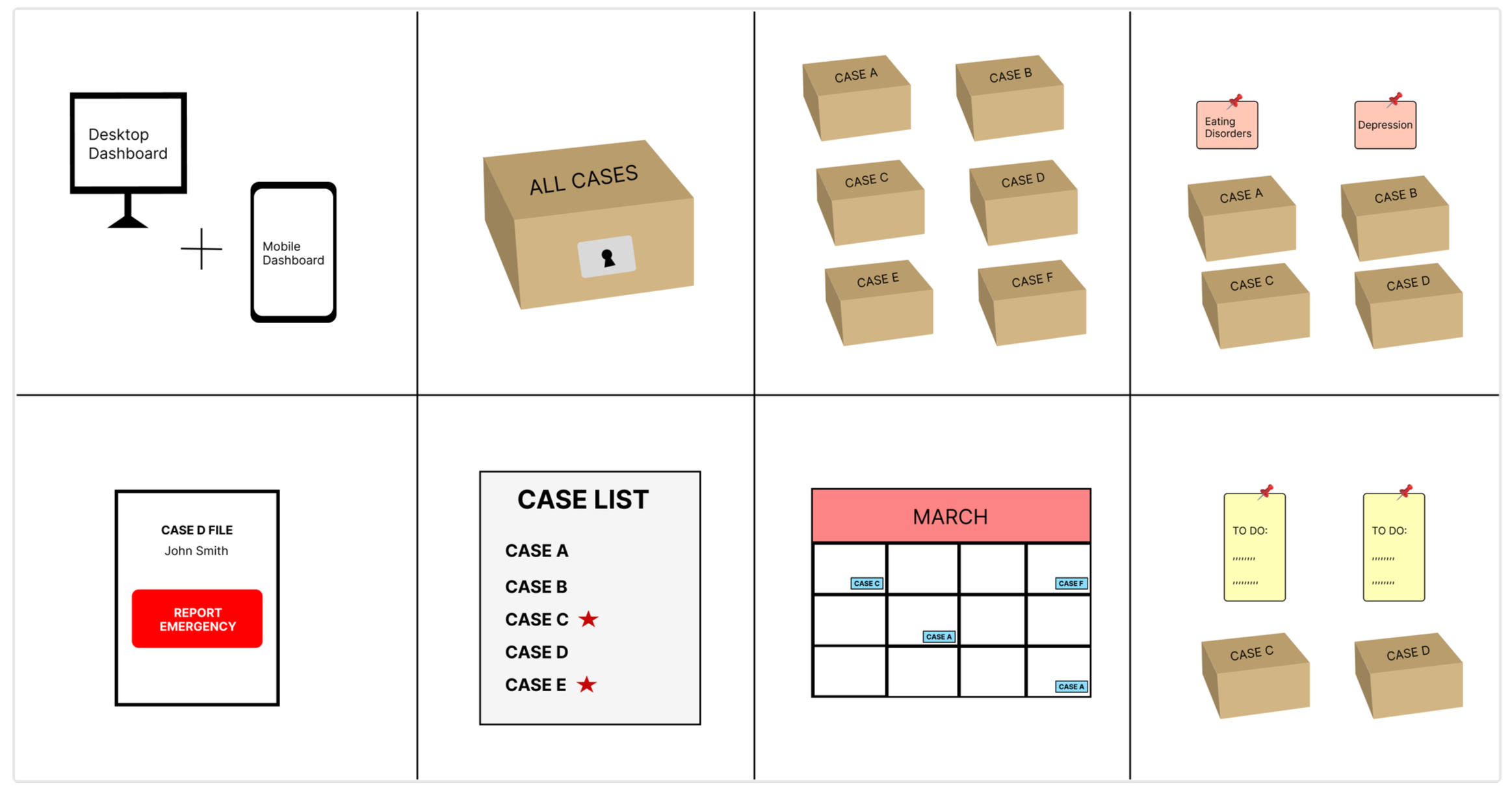
The initial ideation process led to the following ideas:
Combination of mobile and web access to the platform.
Secure case files with password.
Organize case materials digitally.
Categorize cases by subject.
Emergency report feature.
Priority list feature.
Appointment log/Calender feature.
Case note-taking feature.
Site map
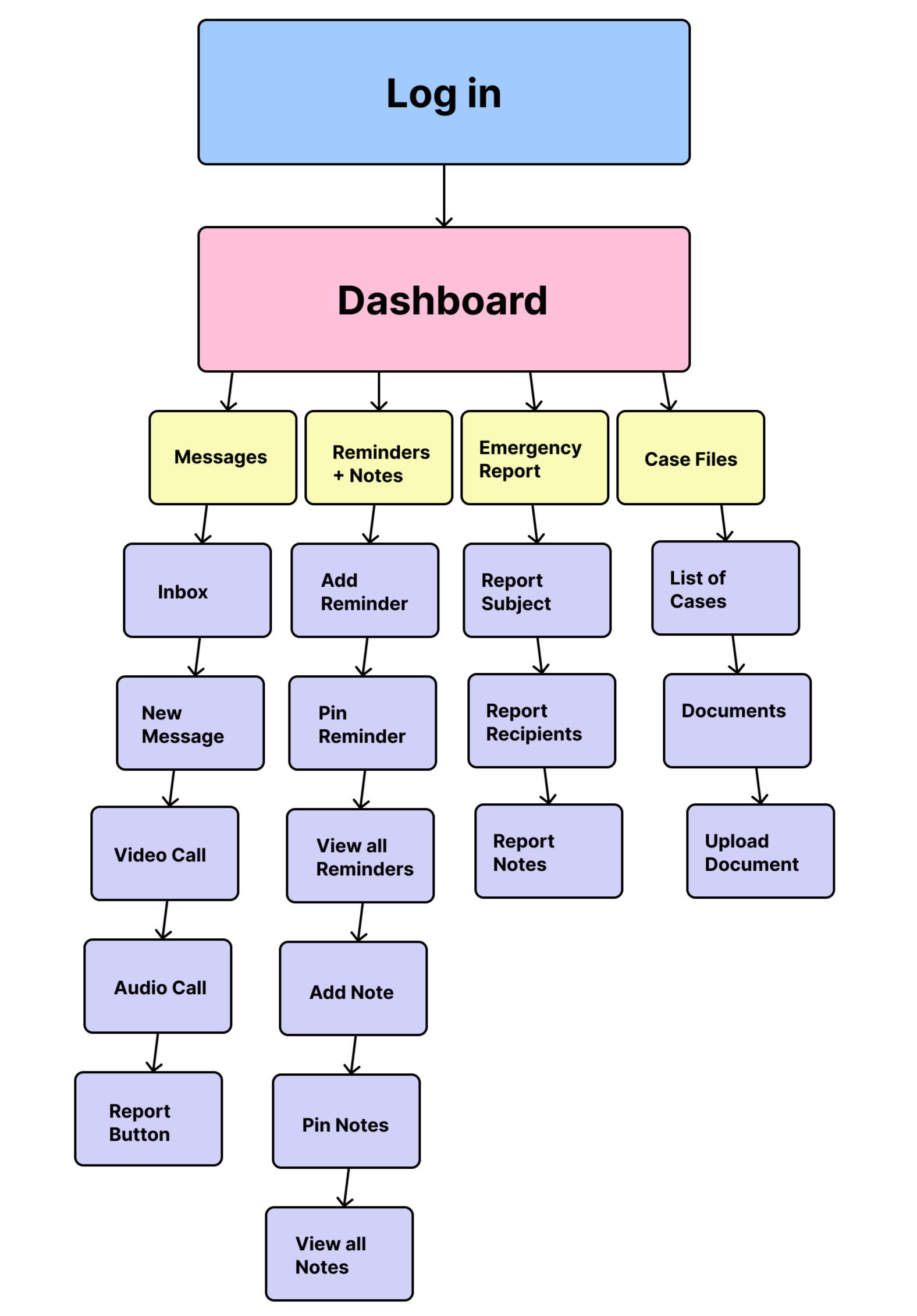
After usability testing a low fidelity prototype, a site map was created to narrow down and add to the list of features included in the design. The following changes to the feature list were changed:
Mobile app only.
Log in to account replaces password protection feature.
Subject categorization and priority list features were dropped.
Reminders replaces calender feature.
Audio and video call.
Pin notes and reminders.
User flow
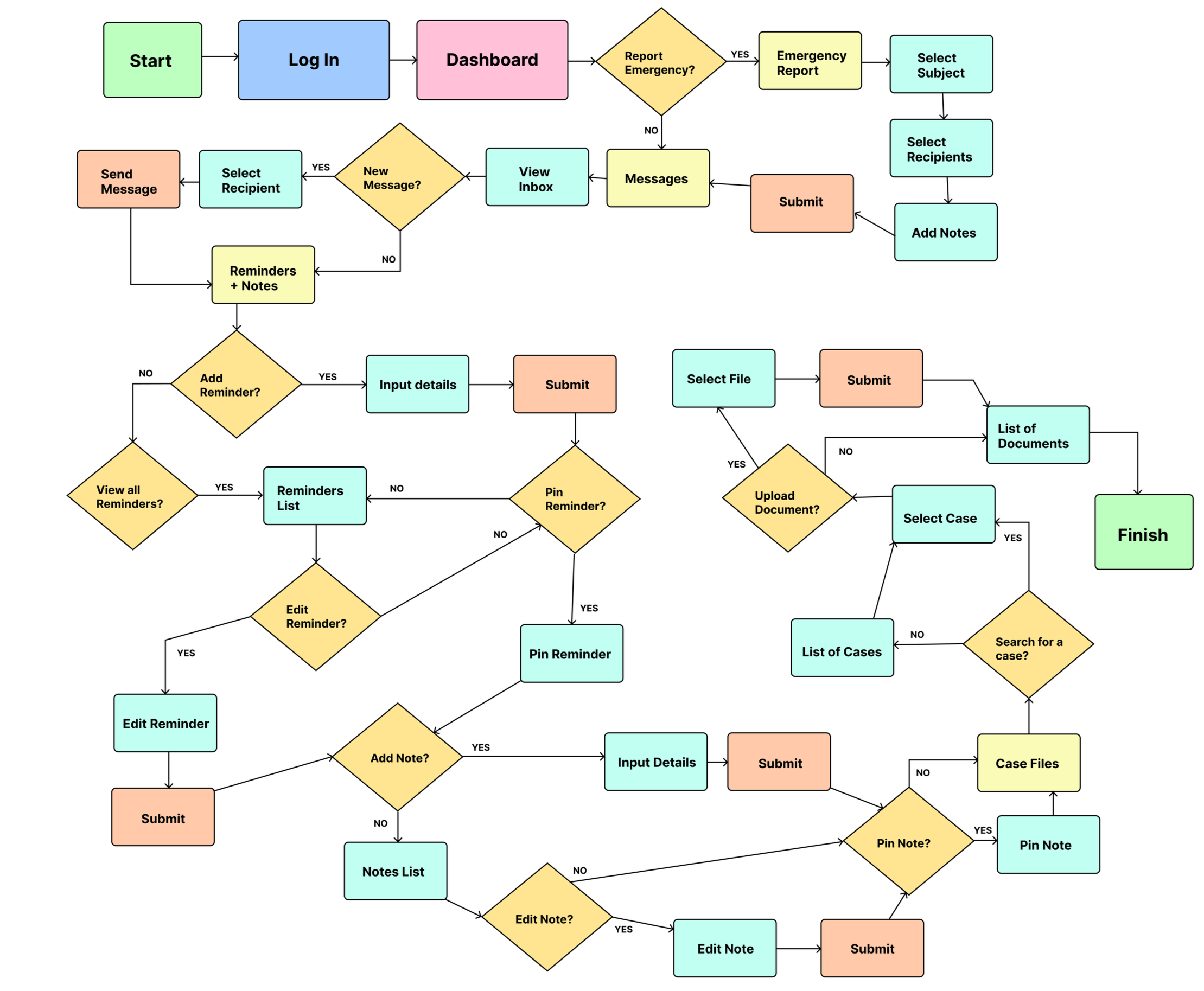
Following the site map, a user flow chart was created to demonstrate a hypothetical user’s journey through the app.
Home
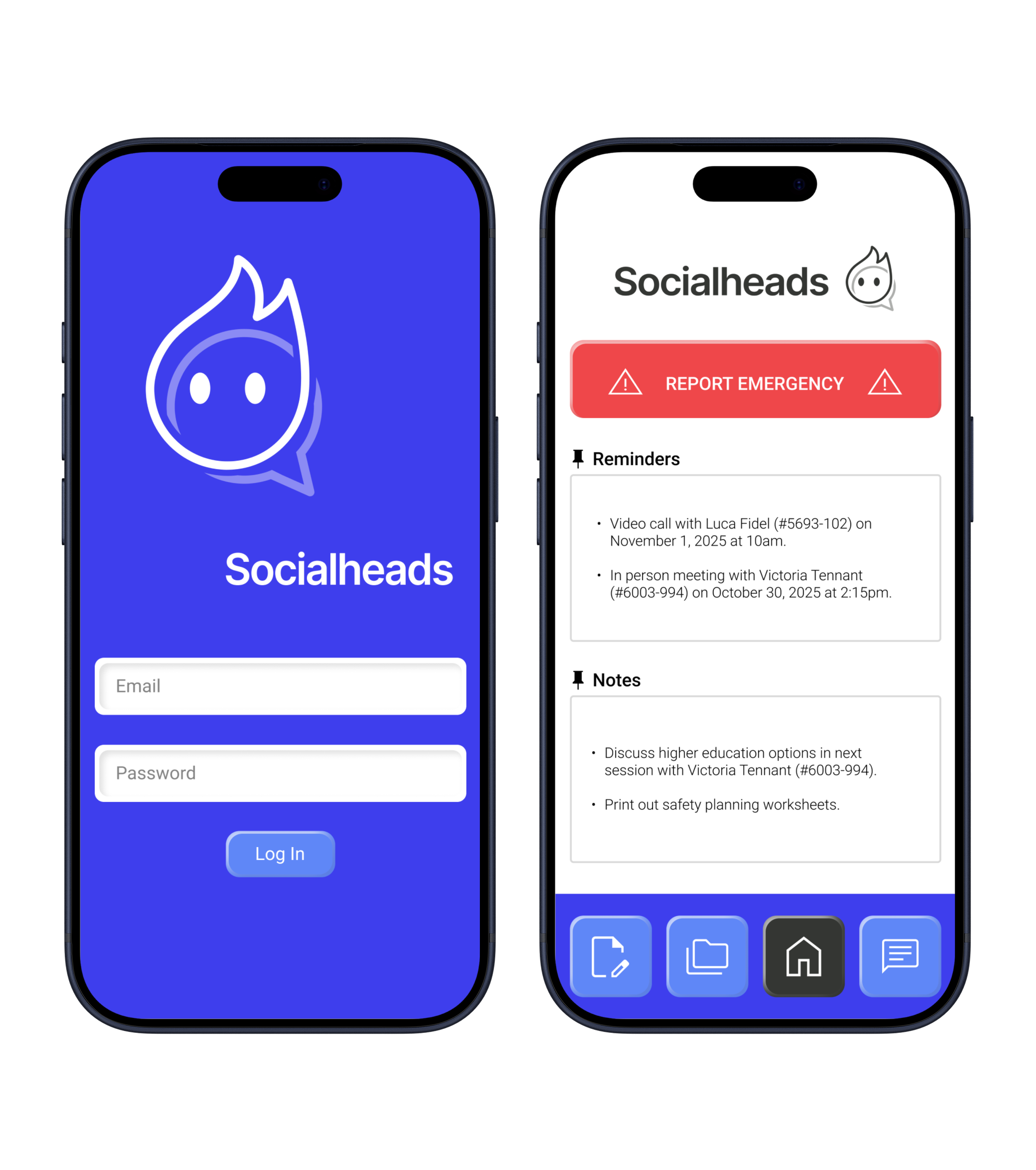
Emergency report feature at the top of the dashboard. The button is large and red for visibility purposes.
View pinned reminders and notes on the dashboard.
Navigation menu at the bottom.
Report Emergency
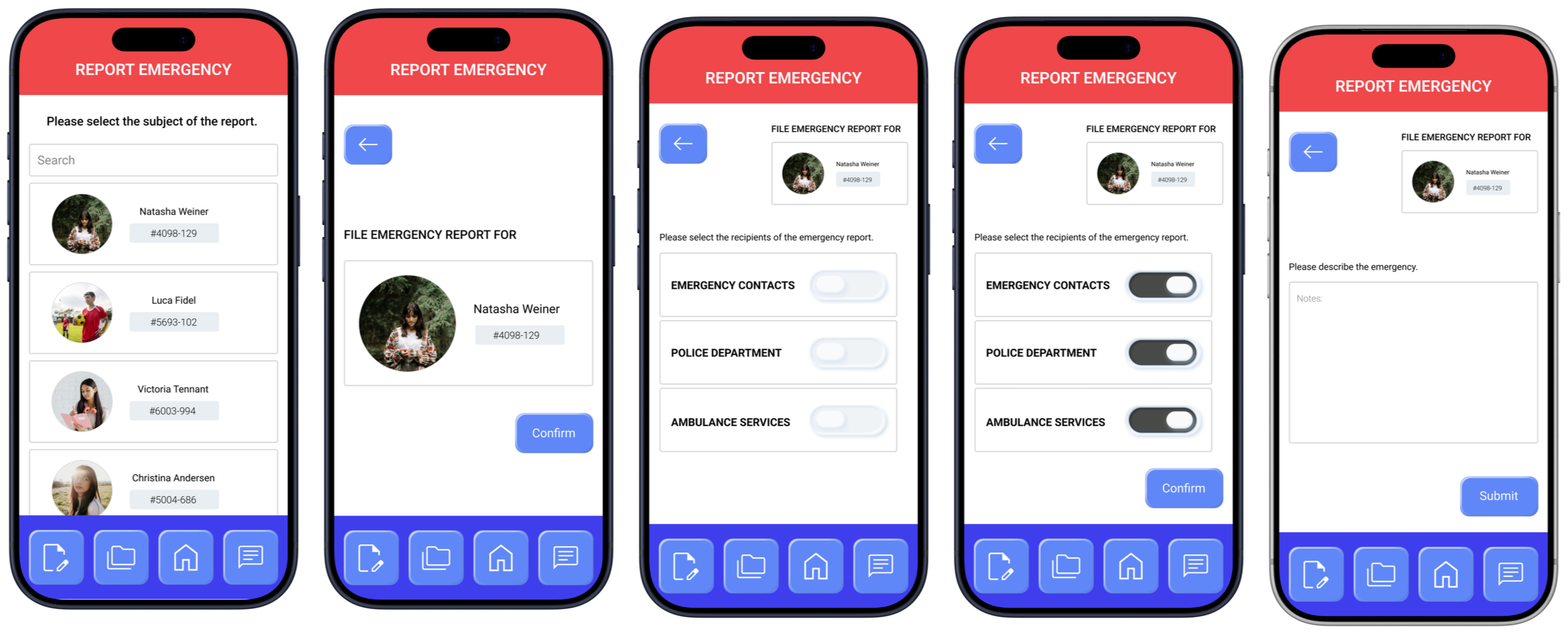
After pressing the report emergency button, the user will be directed to select the subject of the report.
The user can then select the recipients of the report: the subject’s emergency contacts, the police department, and ambulance services.
The user will then be directed to describe the nature of the emergency before submitting.
Messages
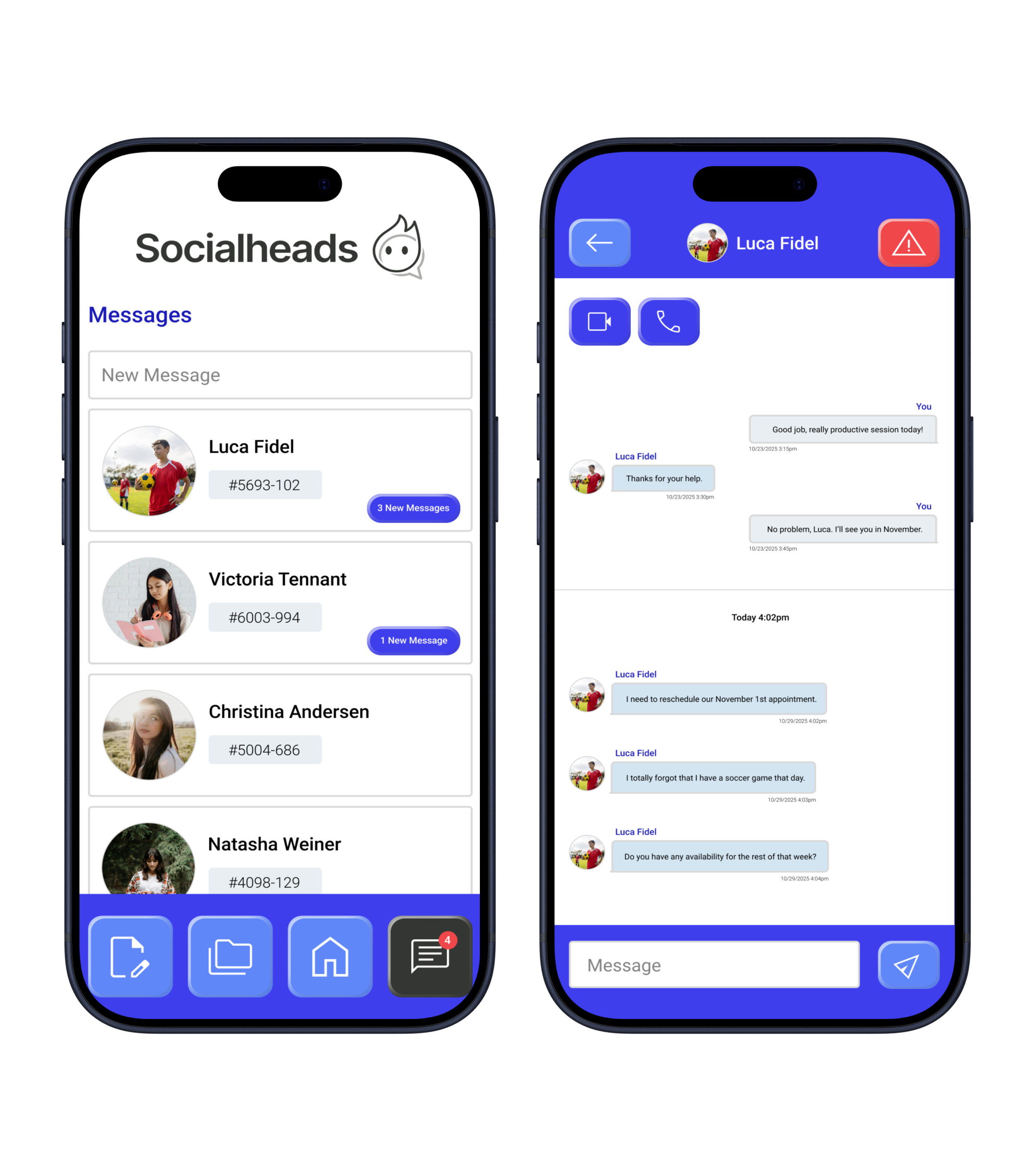
Secure private messaging between social workers and young people.
Video and audio call features.
Access to emergency report feature within messenger.
Reminders & Notes
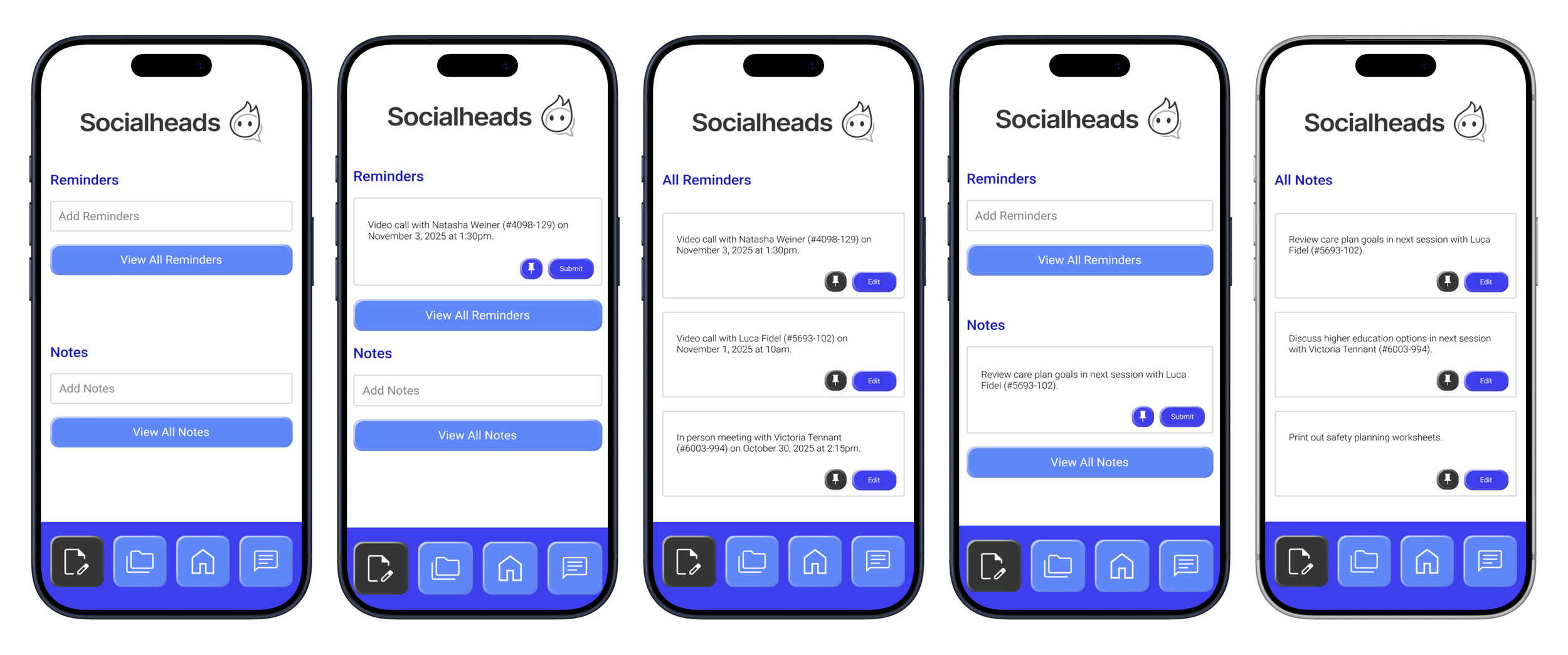
Add and edit reminders and notes.
Pin reminders and notes to the dashboard.
Case files
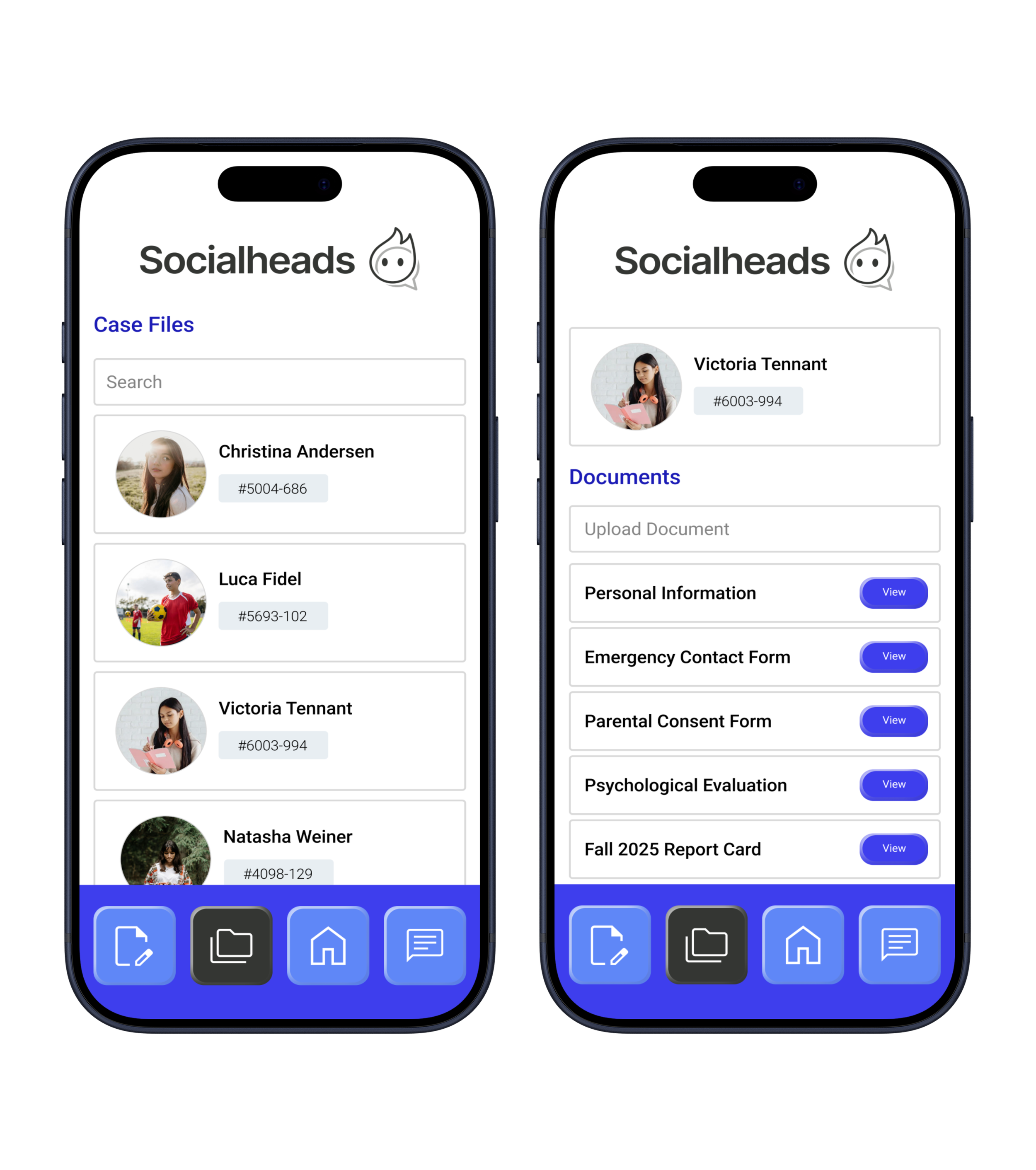
View case files and information.
Upload documents to case files.